April 14, 2021
Easily Manage New Business from Application to Delivery
Check out this new Digital Deep Dive Series!
Gain a competitive edge with our new Digital Deep Dive series! Over the coming weeks, we’ll dive a bit deeper into fan-favorite features of the all-new Agent Mobile App, giving you some tips and tricks for success.
New Business: Your New Business view now includes case trackers, eDelivery and more. All-new, intuitive trackers allow you to see exactly where your case is and where it’s going. Below, we’ll set you up for success by showing you how to navigate to the New Business section to view your case trackers, outstanding requirements and other features.
[bs_collapse id=”collapse_c38d-f329″][bs_citem title=”Step 1: Navigate to New Business Section” id=”citem_8842-9c58″ parent=”collapse_c38d-f329″]
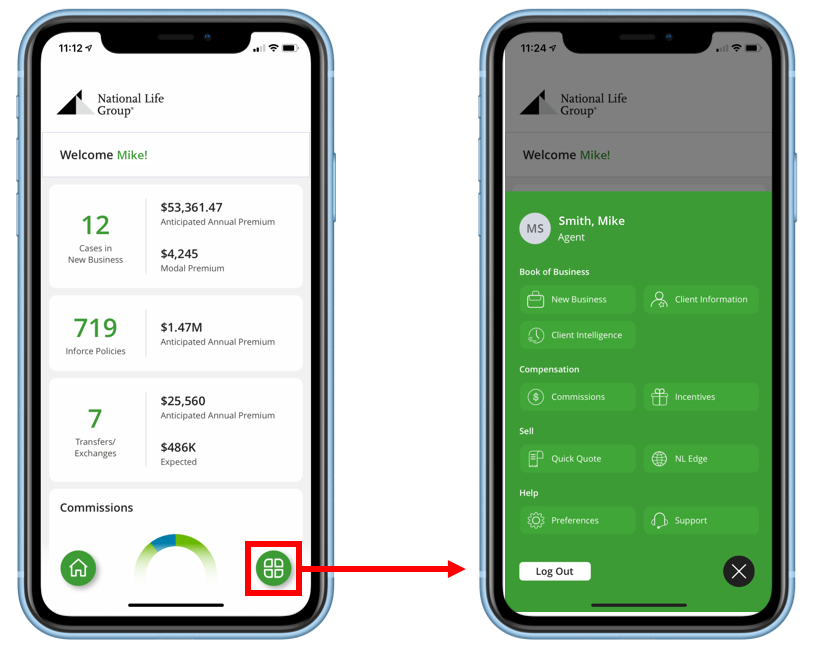
To navigate to your New Business section, tap the menu button on the home page to open then main menu, then tap into New Business.
[/bs_citem]
[bs_citem title=”Step 2: View Client Information ” id=”citem_9769-8341″ parent=”collapse_c38d-f329″]
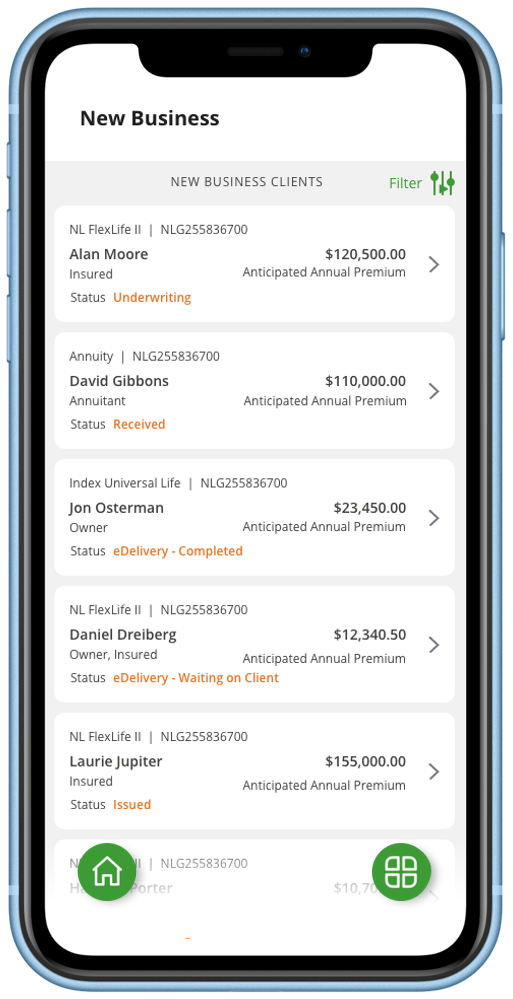
You will then be presented with a list of your clients in the New Business pipeline.
- Scroll through your list and Tap on any case for more details
- Alternatively, tap Filter at the top right to search for a specific case by client name, policy number, status and more.
[/bs_citem]
[bs_citem title=”Step 3: View New Business Case Trackers” id=”citem_58f5-f6a1″ parent=”collapse_c38d-f329″]
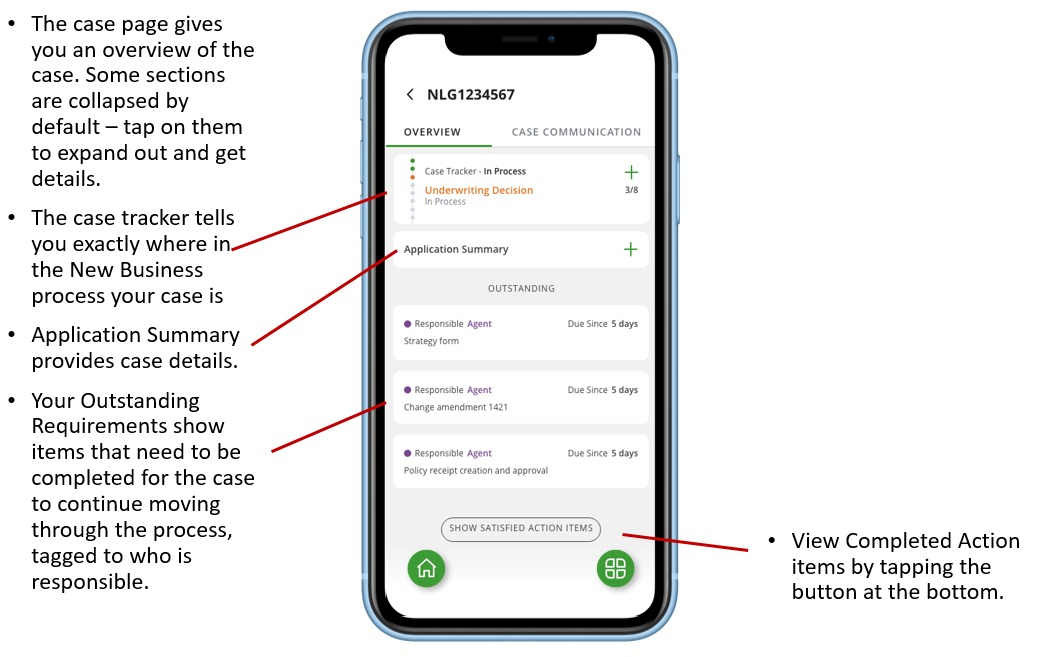
The case page gives you an overview of the case. Some sections are collapsed by default – tap on them to expand out and get details.
[/bs_citem]
[bs_citem title=”Step 4: View the Expanded Tracker” id=”citem_d419-c929″ parent=”collapse_c38d-f329″]
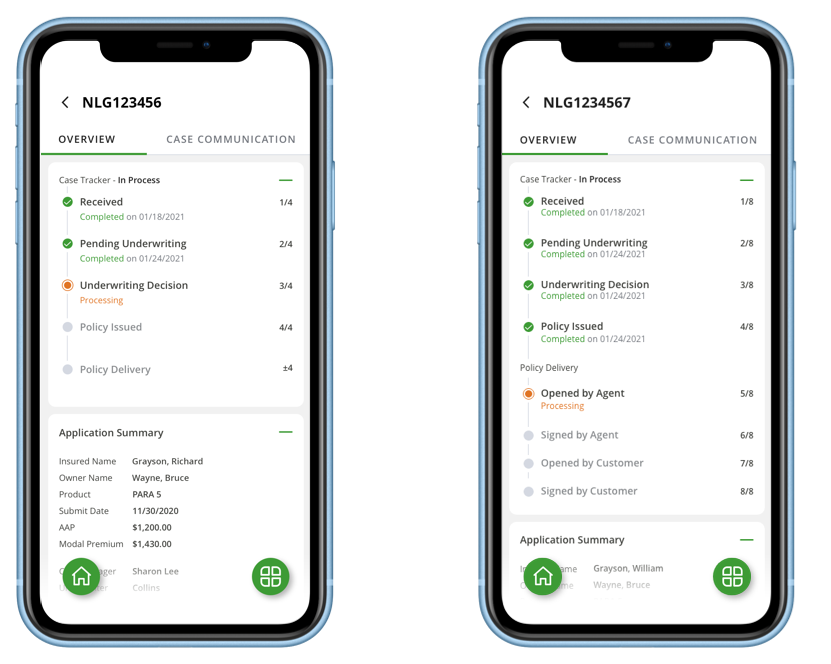
The expanded tracker shows exactly where the case is in the New Business
- If your policy is sent via eDelivery (which we recommend!), the tracker expands to show that process as well. Get an end-to-end view, from application submission to the final signature by your client.
*Note that the tracker will look different depending on whether it is a Life or Annuity policy.
[/bs_citem]
[bs_citem title=”Step 5: Get Contact Details” id=”citem_6675-108d” parent=”collapse_c38d-f329″]
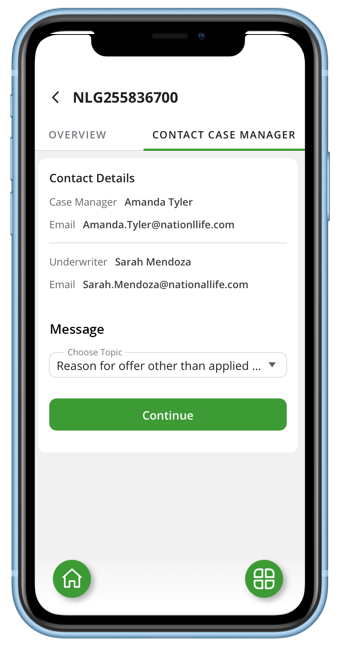
Tap on the Contact tab at anytime to get the contact details of your Case Manager and Underwriter, or start an email right within the app.