September 4, 2025
Submitting Forms Made Easy with Inforce Uploads
Submitting forms is now easier on the Agent Portal with our new Inforce Uploads feature. You can upload documents directly to the right team– securely and with clear confirmation every time.
Here’s how it works:
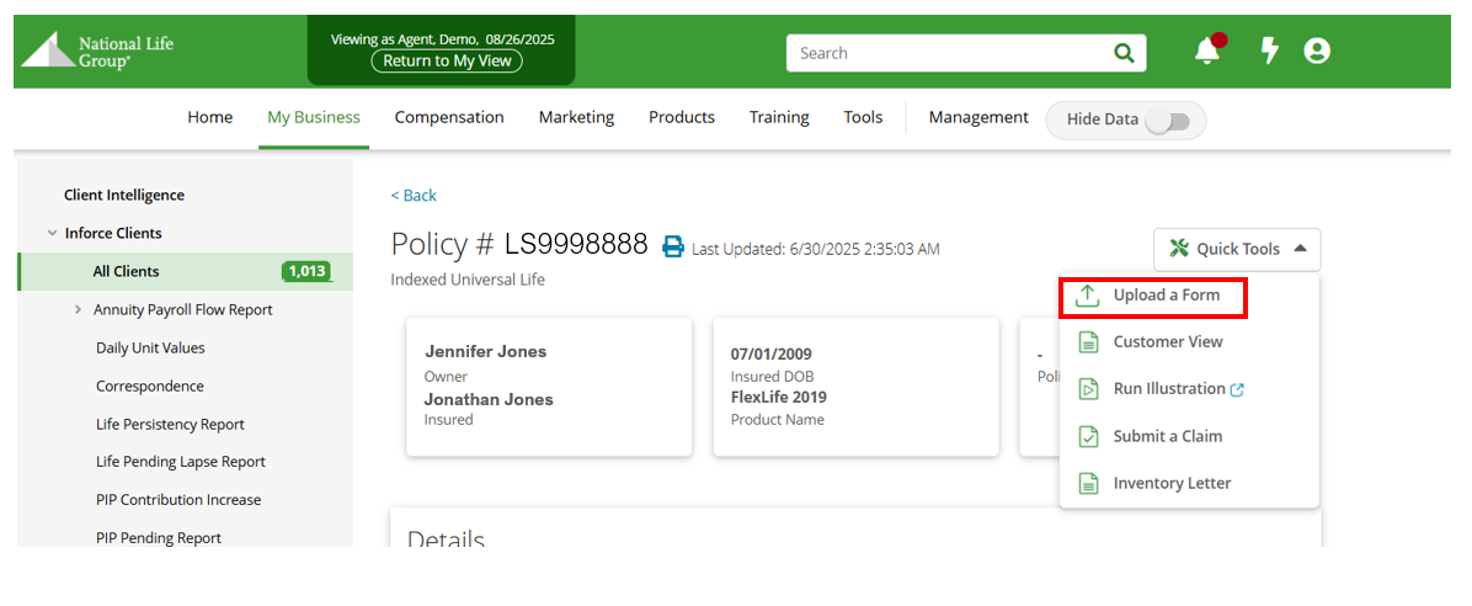
- Start from your Inforce Book: Choose the policy you want to service.
- Find it in Quick Tools: Access the new Quick Tools menu– where we’ve grouped commonly used features in one place– and select Upload a Form.
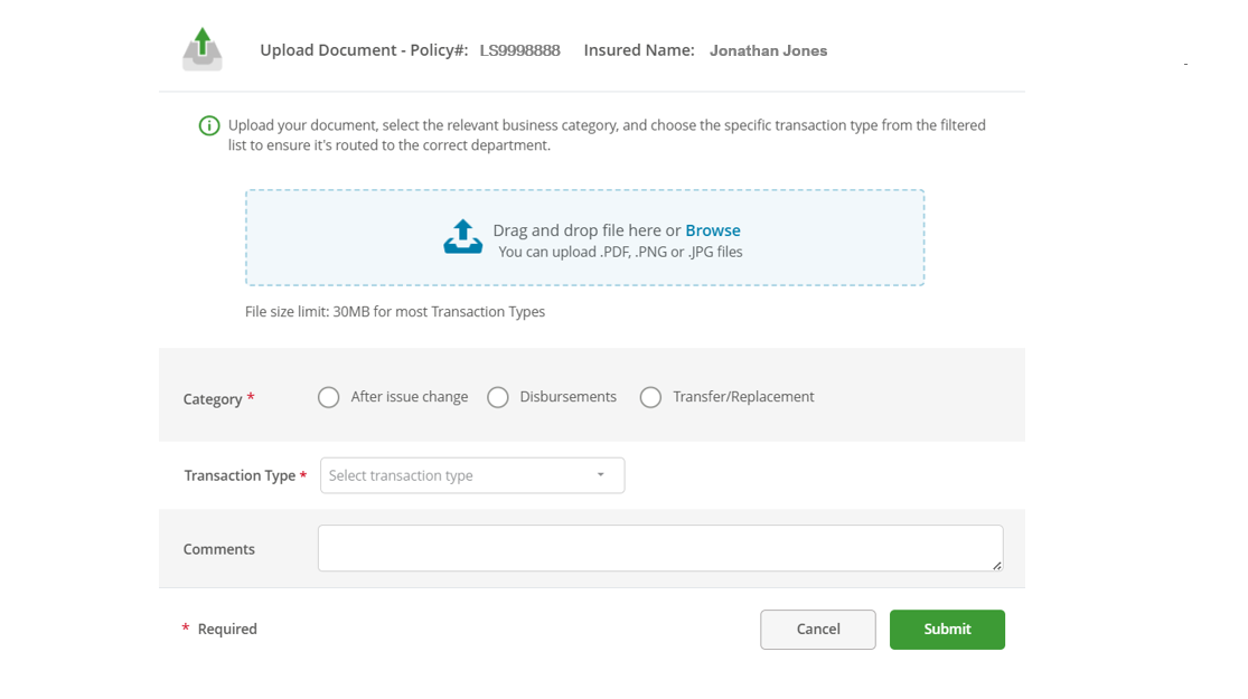
- Upload & Route: Upload your document, select the appropriate Category and Transaction Type, and your form will be directed to the right team.
- Get Confirmation: You’ll receive an email letting you know your document was received.
[bs_icon name=”glyphicon glyphicon-arrow-down”]
TC8349171(0925)3